Online Movies Unchained - a plugin for Dune HD Online Movies Unchained

How to install the plugin on a Dune HD box

Five minutes and nothing difficult: the bot sends the archive, the box installs it itself. A computer is only needed to copy the file onto a card.

Open the bot and get a key
The bot issues the key and the archive. 7-day trial.

What you need

1.Get the archive from the bot

The bot issues a key and sends the archive in the next message. Nothing else to download: the build already carries your key.

2.Put the archive on a card or stick

In the root of it, without unpacking. The box expects the zip itself.

3.Put the card in the box

It notices on its own and asks what to do. Choose "Open in File Browser".
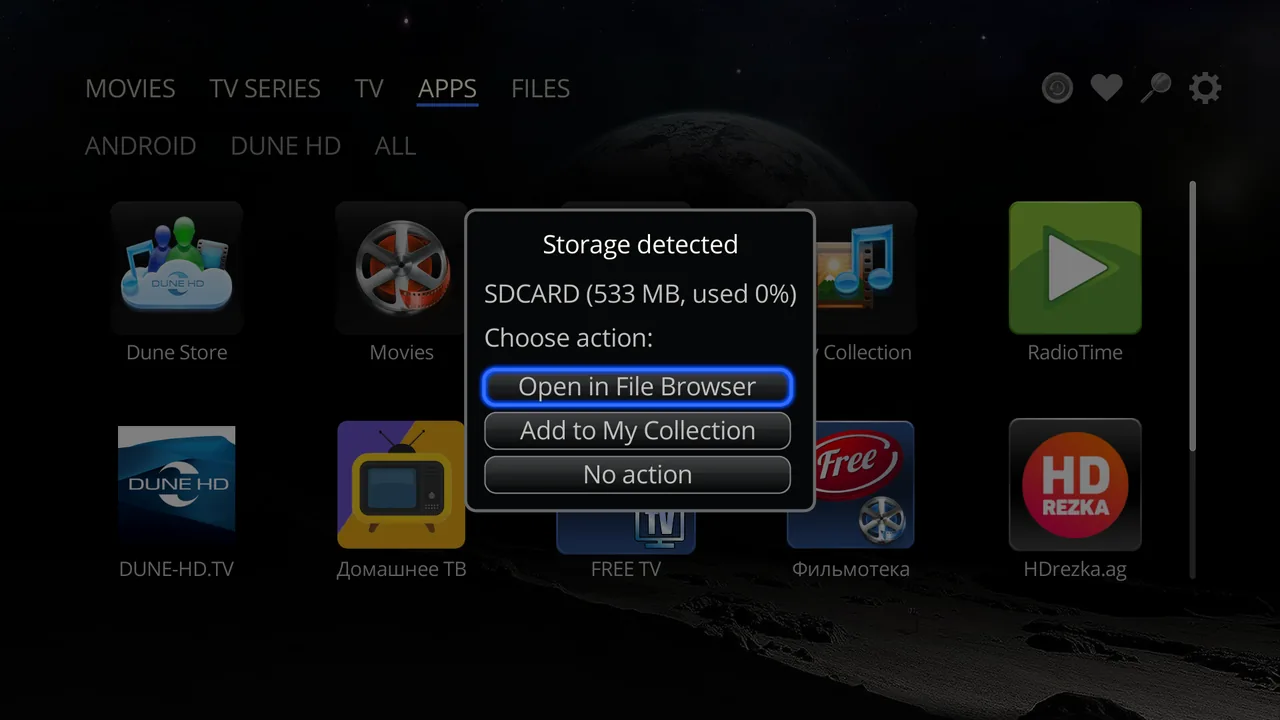
The box has detected an SD card and offers to open it in the file browser

No dialog? Go there by hand: the FILES tab, then your card or stick.
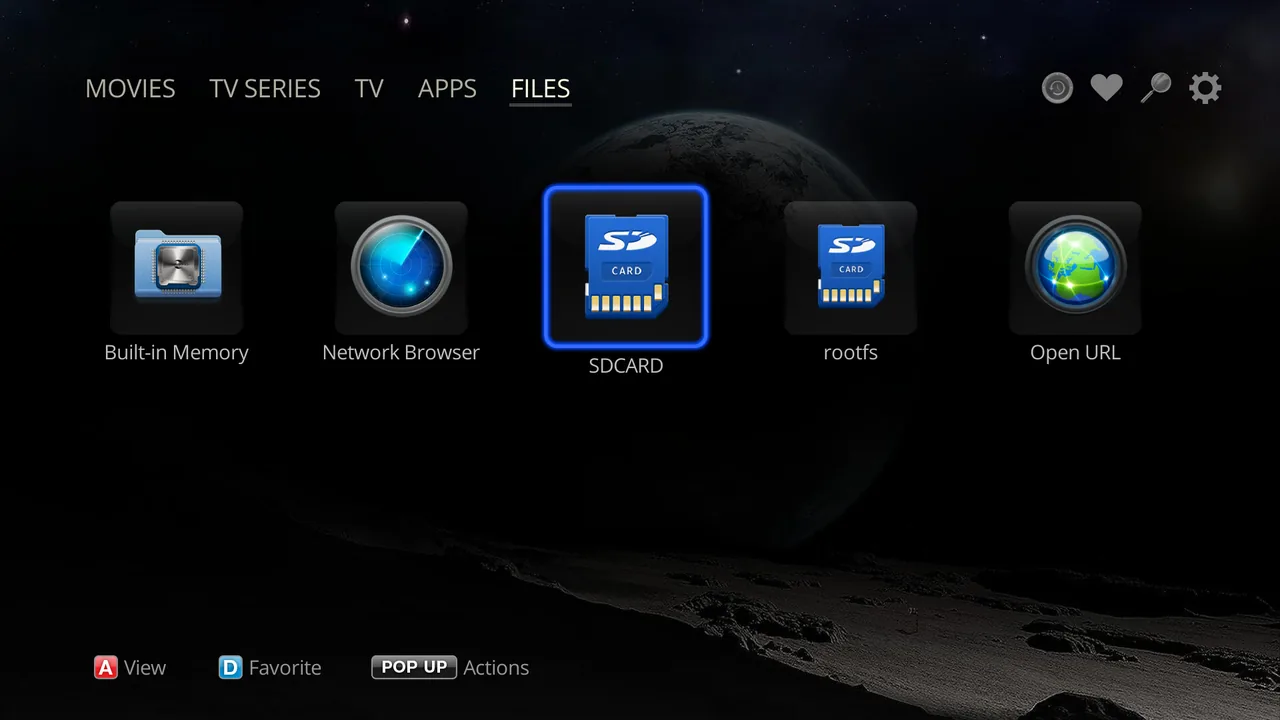
The FILES tab on a Dune HD box: choosing the SD card by hand

4.Open the archive

Highlight dune_plugin_omov.zip and press OK. That is the installation - nothing to unpack or copy anywhere.
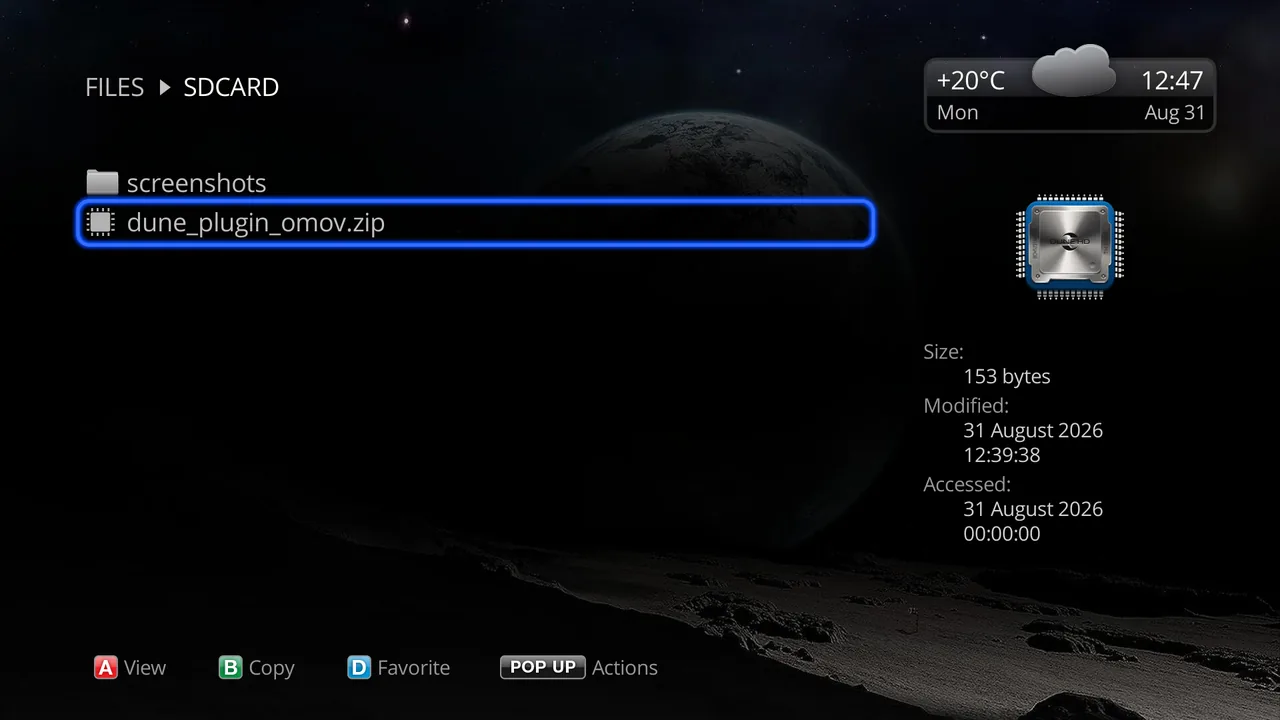
The plugin archive dune_plugin_omov.zip on the SD card, selected for install

5.Done

The box confirms and offers to launch straight away. The archive can be deleted from the card afterwards.
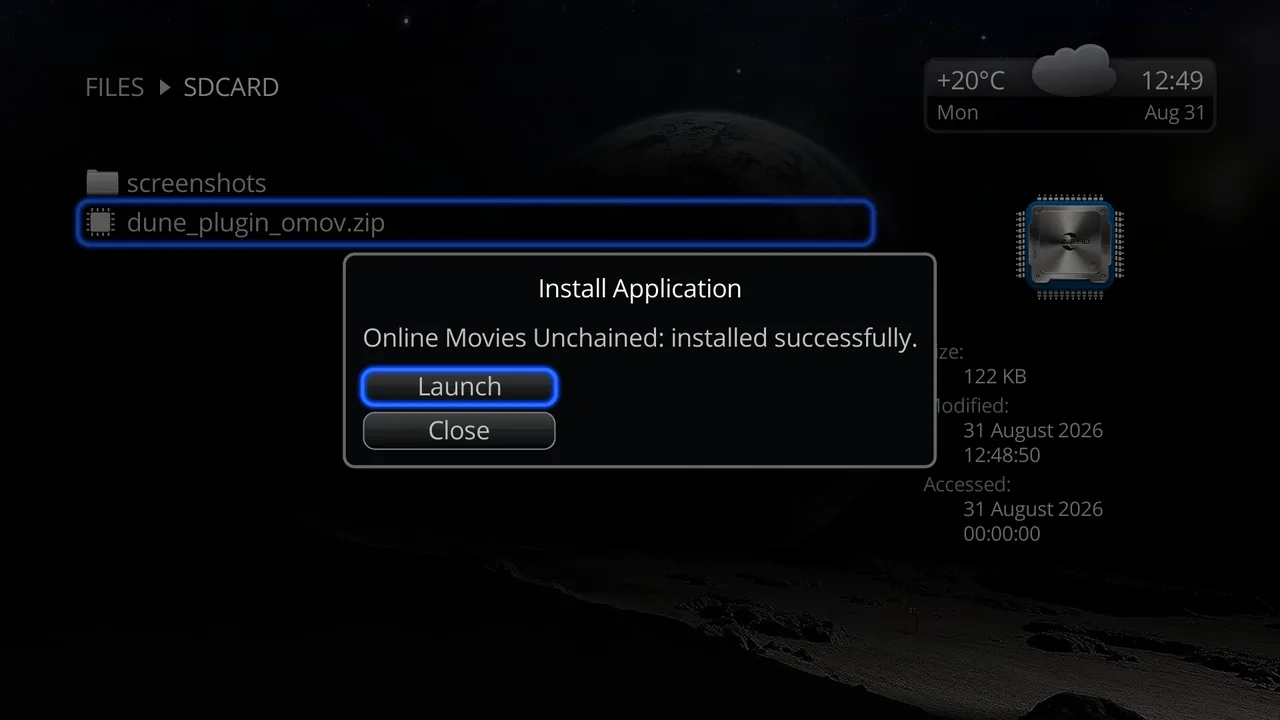
The box confirming: Online Movies Unchained installed successfully

6.Where the plugin lives now

The APPS tab, DUNE HD section. That is where you launch it from now on.
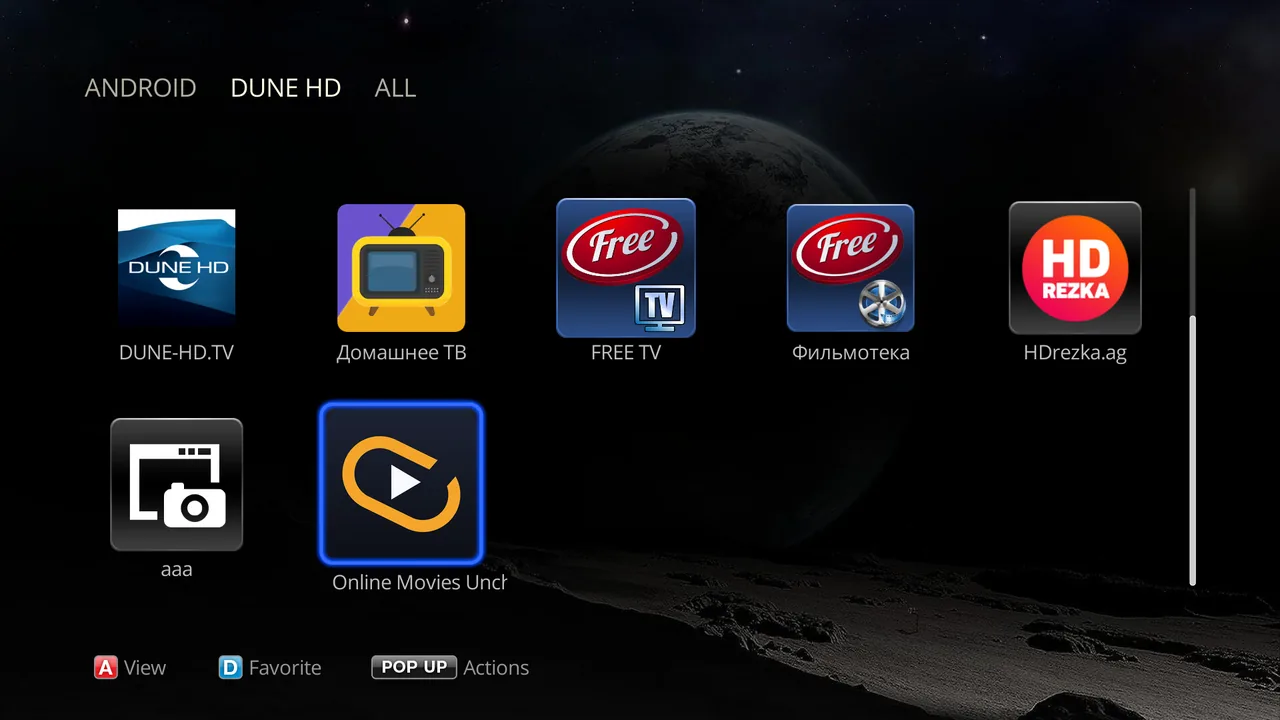
Online Movies Unchained in the APPS DUNE HD section of the box

7.First run

Licence type and expiry on top, the query field and the metadata language below. Type anything and search - no catalogue involved.
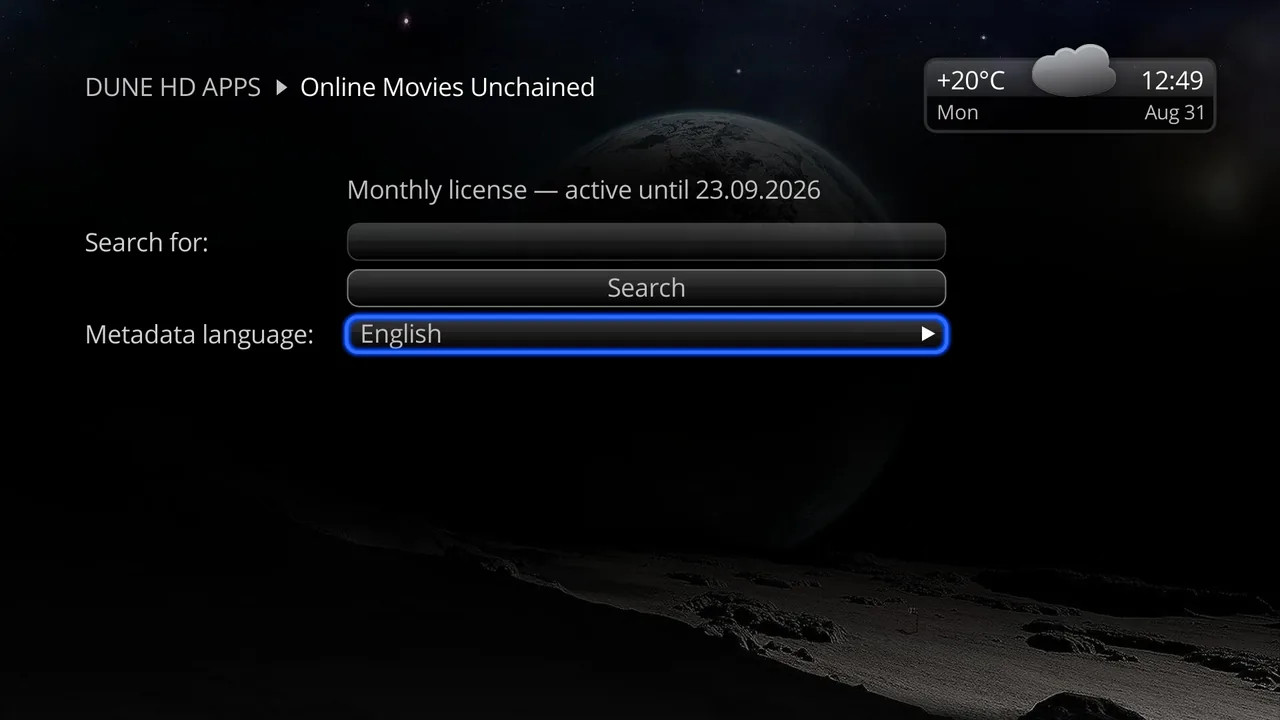
The plugin search screen: licence line, query field and metadata language

After that

Frequently asked questions

The box did not notice the card and no dialog appeared

Go there by hand: the FILES tab, your card or stick, then the archive. The automatic dialog is a shortcut, not the only way in.

Do I need to unpack the archive?

No. The box installs straight from the zip; unpacked files it will not take.

How do I update the plugin later?

You do not - it updates itself. The box checks daily and installs the new version without asking, with the same key.

Open the bot and get a key   About the plugin